top of page
Button Component
Design System Component
July 2024 - August 2024
My Role
I worked on a design system component - a button for 5 different games in Gameberry Labs. This involved doing games audit, categorisation, guidelines listing, and library creation to implementation.
Why was this needed?
There are currently 5 games under Gameberry Labs, all built using different button styles.
But the issue is not just that, due to the fast-evolving nature of the features, there were numerous types/styles/sizes of buttons.
So there was a need to define some standard guidelines defining the button functionality.


Games' Audit
I talked to UX designers on different games:
1. Understood how many types of buttons are there.
2. Inconsistencies with the art style and colours
3. Visual differences for the same category of buttons in the same game - BIG BIG PROBLEM!
Learnings
After conducting an audit, I realised the need to categorise the button variants based on their functionality (primary/secondary/tertiary/tabs).
This helped me get an overview of the fact there are 7-8 different styles of buttons being used
text - text+icon - 2 text - icon - text+banner etc.
Example

Rough categorisation in types

Priorities


Guidelines


Types

Solid Button Anatomy

Button Variants


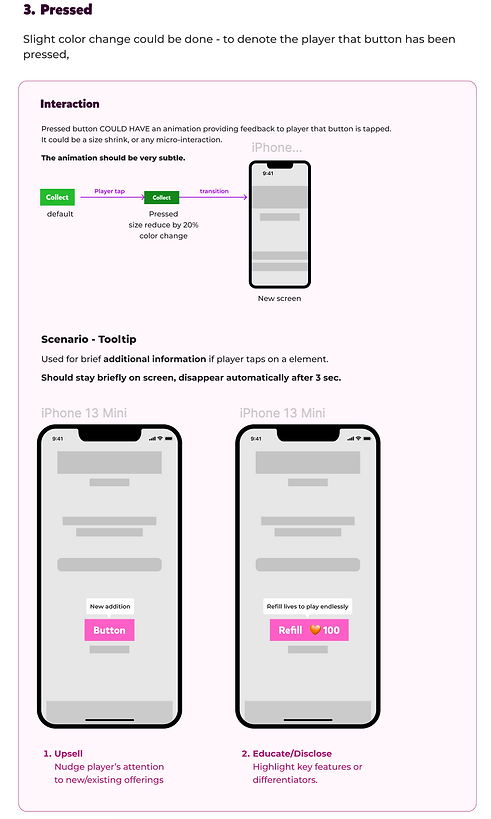
Button States
States are visual representations used to communicate the status of a component or interactive element.




bottom of page